


Description
Download Ma Tunnel VPN APK – Free, Secure, High-Grade Protection for Android
Overview
Ma Tunnel VPN is a free-to-use virtual private network application developed by FRS.TECH, designed to provide users with a secure and private internet connection across public Wi-Fi networks and mobile data. The software aims to safeguard online activity by routing traffic through encrypted tunneling protocols, effectively masking the user’s identity and location. It targets individuals seeking enhanced digital privacy, particularly those who frequently use public networks or want to access geo-restricted content without compromising their security. The app functions similarly to other privacy-focused tools like JO JO VIP VPN and Shenzo VPN - Private Safe, offering a straightforward way to establish a protected connection with minimal setup. While the developer did not provide additional background details, the application’s core purpose centers on maintaining user anonymity and data integrity. Real-world usage scenarios include securing online banking transactions, protecting personal communications, and bypassing regional content restrictions. The software is optimized for a range of online activities, including streaming, gaming, and general browsing. However, the developer did not specify exact performance metrics or resource usage patterns, and no official documentation on system compatibility beyond Android was shared.
Key Features & Capabilities
- High-Grade Security Protocols: Ma Tunnel VPN employs tunneling protocols to encrypt data traffic, ensuring that online activity remains hidden from third parties, including ISPs and potential hackers.
- No-Log Policy: The app claims to enforce a strict no-log policy, meaning it does not track, store, or share user browsing history or online behavior.
- Global Server Network: Access to multiple proxy servers allows users to connect to different geographic locations, enabling better privacy and potential access to region-locked content.
- Advanced Configuration Options: Users can customize their connection by selecting specific tunneling protocols, adjusting gateway settings, enabling tunnel compression, and configuring custom proxy servers.
- High-Speed Connectivity: The software is designed to maintain optimized connection speeds suitable for streaming, gaming, and other bandwidth-intensive tasks.
These features collectively support secure remote access, private browsing, and flexible network management. For example, a user traveling abroad could use Ma Tunnel VPN to access their home country’s streaming services by connecting to a server in their native region. Similarly, someone using a public hotspot at a café could rely on the app’s encryption to protect sensitive data from interception. The advanced settings are particularly useful for experienced users who want granular control over their connection. However, the absence of guided tutorials may make these options challenging for beginners to navigate effectively.
User Interface, Workflow & Performance
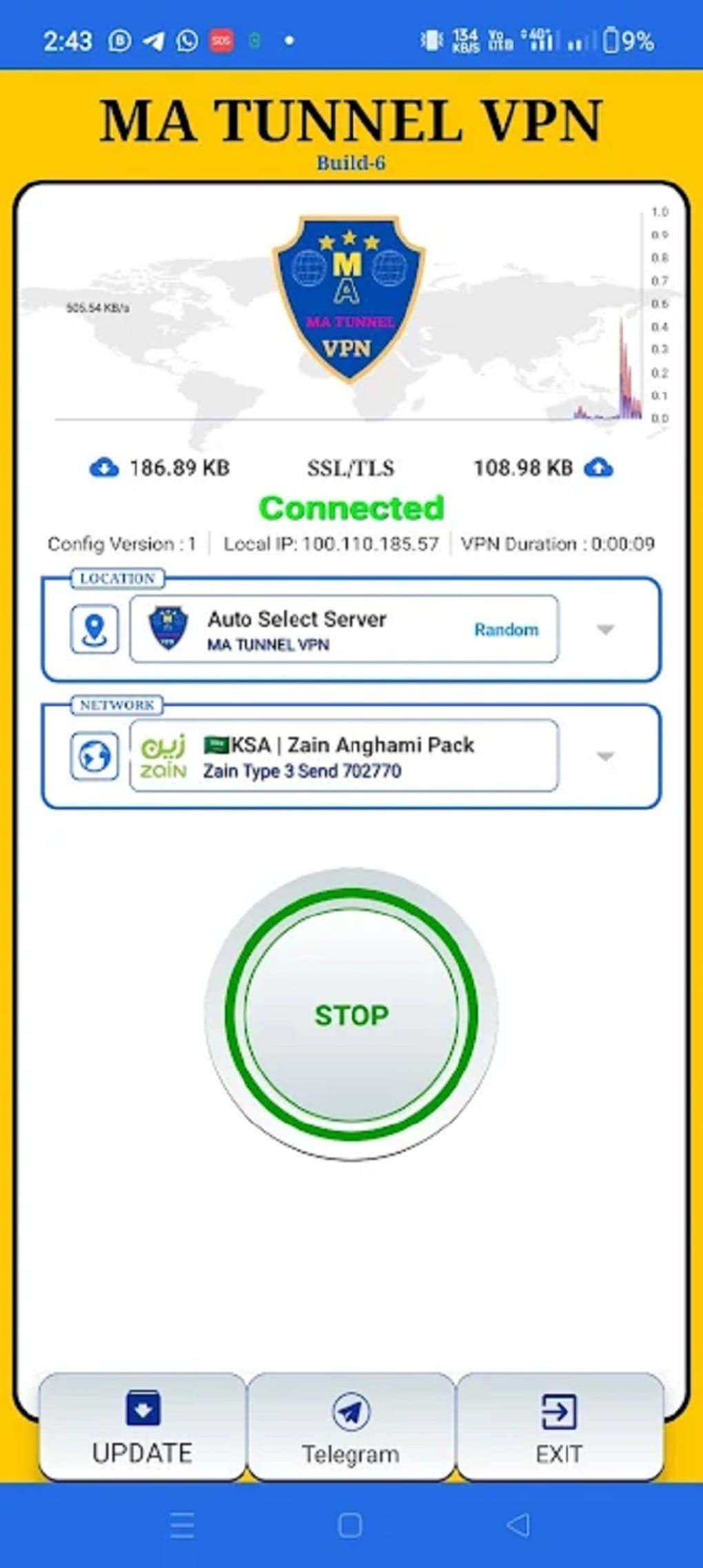
The user interface of Ma Tunnel VPN appears to be outdated, with a design that lacks modern visual polish and intuitive layout elements. Navigation is described as somewhat confusing, particularly for new users unfamiliar with VPN terminology or advanced networking concepts. The workflow for establishing a connection is generally straightforward—users select a server and initiate the connection—but the lack of in-app guidance or tooltips can lead to frustration when adjusting advanced settings. Performance observations are based on general software behavior patterns, as the developer did not specify resource usage details. Users have reported occasional lag and connection failures, which may affect usability during real-time tasks such as video calls or online gaming. Stability appears inconsistent, with some users experiencing disconnections mid-session. The app’s CPU and RAM consumption were not disclosed, so no definitive conclusions can be drawn about its efficiency. Nevertheless, the core functionality of establishing a secure tunnel remains operational, though not always reliably. Overall, the experience prioritizes feature availability over usability, which may deter less technically inclined users.
Compatibility & System Requirements
Ma Tunnel VPN is designed for Android devices and is distributed as an APK file, indicating it is intended for installation outside the official Google Play Store. The supported operating system is Android, though the specific version range was not provided. Installation size and hardware requirements were not specified by the developer. Users should ensure their device meets general Android compatibility standards for running third-party applications. The developer did not list exact system requirements, so compatibility may vary depending on device model, Android version, and available storage space. It is recommended to verify the APK’s source for authenticity and security before installation. No information was provided regarding support for other platforms such as iOS, Windows, or macOS.
Pros and Cons
Pros
- Free-to-use with no subscription required
- Offers a no-log policy to protect user privacy
- Supports advanced customization for experienced users
- Provides access to multiple global servers
- Uses high-grade encryption and tunneling protocols
Cons
- Outdated and confusing user interface
- Reports of frequent lag and connection instability
- Limited documentation and no in-app tutorials
- Advanced settings may be difficult to configure without technical knowledge
- APK distribution raises potential security concerns if not downloaded from trusted sources
FAQ Section
Is Ma Tunnel VPN safe to use?
The app claims to follow a no-log policy and uses encrypted tunneling protocols to secure user data. However, since it is distributed as an APK outside official app stores, users should download it only from trusted sources to minimize security risks.
Can I use Ma Tunnel VPN on iOS devices?
Based on available information, the software is designed exclusively for Android and no official support for iOS was mentioned.
Does Ma Tunnel VPN offer a free version?
Yes, Ma Tunnel VPN is available as a free application with no subscription or payment required for basic functionality.
How often does the app receive updates?
Specific update frequency was not disclosed by the developer. Users should check the source of the APK for the latest version to ensure access to recent improvements and security patches.
Can I use Ma Tunnel VPN offline?
Ma Tunnel VPN requires an active internet connection to establish a secure tunnel. It cannot function without an online connection.
Final Thoughts
Ma Tunnel VPN presents a functional, privacy-focused solution for Android users seeking a free and secure way to browse the internet. While it delivers core benefits such as encryption, a no-log policy, and access to global servers, its usability is hampered by an outdated interface and inconsistent performance. Frequent lag and connection issues may disrupt user experience, particularly during critical tasks. Advanced features are available but not accessible to beginners due to the lack of guidance. For users who prioritize privacy and are willing to overlook interface shortcomings, it offers a viable middle-ground option among free VPNs. However, those seeking a polished, reliable experience may find better alternatives. Overall, Ma Tunnel VPN is a decent choice for casual use, but not a top-tier solution. Download Ma Tunnel VPN now to explore its capabilities on your Android device.
Guides & Tutorials for Ma Tunnel VPN APK
How to install Ma Tunnel VPN APK
- Click the Preview / Download button above.
- Once redirected, accept the terms and click Install.
- Wait for the Ma Tunnel VPN APK download to finish on your device.
How to use Ma Tunnel VPN APK
This software is primarily used for its core features described above. Open the app after installation to explore its capabilities.
User Reviews for Ma Tunnel VPN APK 0
No reviews found





